
Bulk Blockouts
Easily enter your work/school schedules into availability

Officials often need to put in there Blockouts in a repeating manner. For example, they may need to put in a work schedule that is Monday through Friday. Or perhaps, they are unavailable Monday, Thursday, and Friday for college classes.
The system now has a tool for inputting these types of schedules very easily. It’s called the “Bulk Blockout” tool. Using this tool, officials tell the system which days of the week they are unavailable and specify if it’s “all day” or a specific block of time (e.g., 10am-3pm). You also tell the system to start on a specific date and end on a specific date in the future.
When the official saves this configuration, it will create all of the necessary Blockouts during that range of time. Using this tool, they can create Blockouts going out as far as 1 year.
Below is a link to a support article with step-by-step directions for creating a Bulk Blockout.
Here is an example of a Bulk Blockout
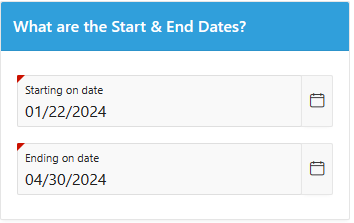
From January 22nd until the end of April.
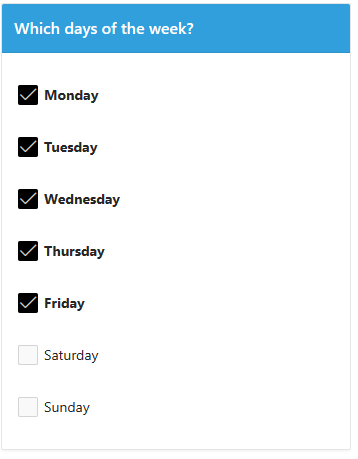
Monday through Friday
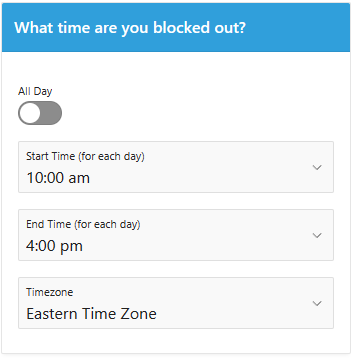
10am to 4pm each day
The Reason is work.
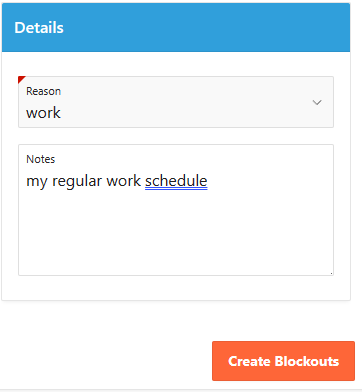
Click “Create Blockouts” and then review the list of Blockouts on the next page.
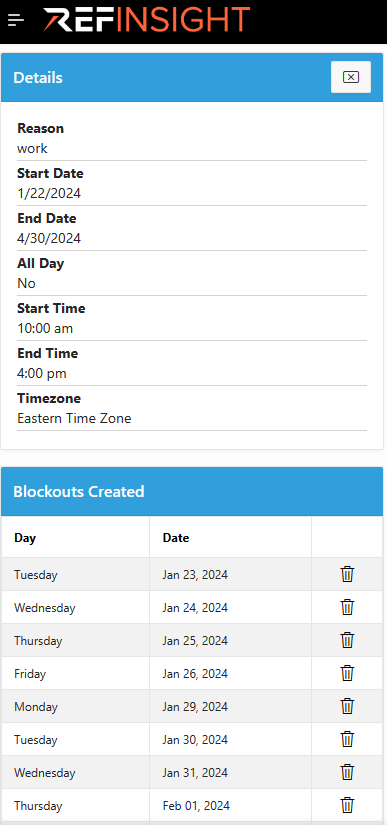
The list would continue further all the way until the end of April.